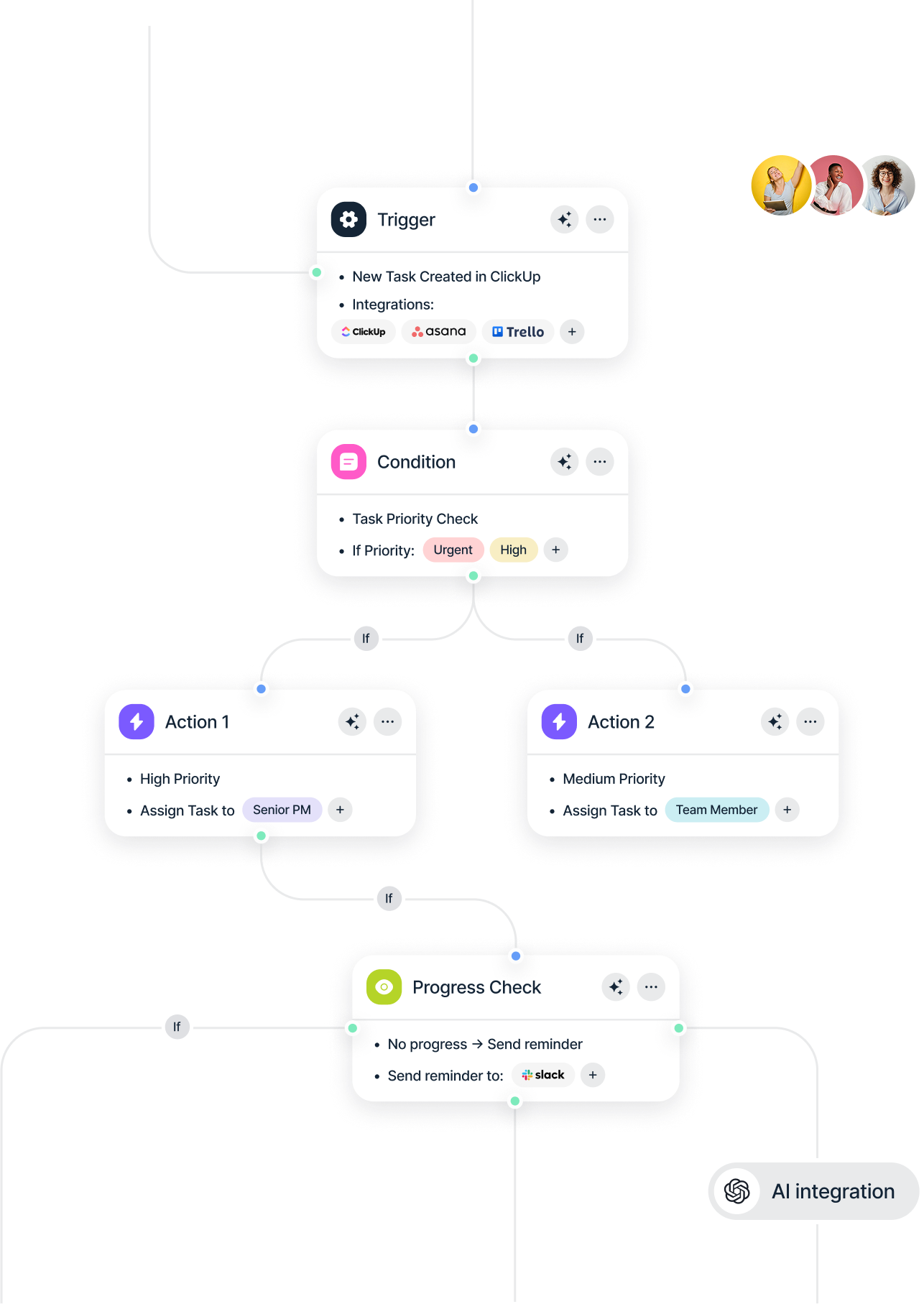
Modules & Workflows Operate Your Business Automate Your Workflow Run Your Business in One System DOiT ERP + POS connects sales, inventory, purchasing, and finance—so every transaction updates everything instantly. Request a Demo Explore Modules Guided onboarding • Multi-branch ready • Arabic & English UI 4.9/5 Sameh Zaki. CEO of DOiT Task ERP 1 + Modules Start lean. Add what you need “Daily closing became a 10-minute routine.” Ahmed A., Operations Manager Built for real operations, not harder. Trusted by Thousands of Businesses ERP Made Simple & Powerful Paragraph: Replace disconnected tools with one workflow—from POS to accounting, inventory to purchasing, approvals to reports. Explore Core Modules Sell Faster at the Counter Text: POS built for speed: barcode, discounts, returns, shifts, and daily closing—without breaking inventory accuracy. Roles & Approvals that Match Your Team Control what each user can see and do. Track actions, approvals, and changes across branches Inventory that Stays Clean Text: Transfers, stock takes, purchase orders, and item costing—so every branch knows what’s available in real time. Accounting You Can Trust Invoices, expenses, supplier dues, profit snapshots—linked to sales and inventory automatically. Built for Real Operations DevOps Email & Marketing E-commerce Choose your flow—then we tailor modules, roles, and reports to match. Explore Industries Retail & POS Fast checkout, live inventory, clean reporting Get Started Multi-Branch Stock transfers, permissions, centralized control Get Started Wholesale Pricing tiers, purchase cycles, supplier tracking Get Started Services Services Get Started DevOps & Deployment Automate deployments, versioning, and error tracking for smooth development. Get Started "Automation has saved us countless hours by streamlining order processing and marketing tasks seamlessly." Sarah L., E-commerce Manager "Automation has saved us countless hours by streamlining order processing and marketing tasks seamlessly." David Thompson, E-commerce Leader "Automation has saved us countless hours by streamlining order processing and marketing tasks seamlessly." Sarah Collins, E-commerce Manager "Automation has saved us countless hours by streamlining order processing and marketing tasks seamlessly." Mark Robinson, E-commerce Manager "Automation has saved us countless hours by streamlining order processing and marketing tasks seamlessly." Emily Carter, E-commerce Manager "Automation has saved us countless hours by streamlining order processing and marketing tasks seamlessly." Sarah L., E-commerce Manager "Automation has saved us countless hours by streamlining order processing and marketing tasks seamlessly." David Thompson, E-commerce Leader "Automation has saved us countless hours by streamlining order processing and marketing tasks seamlessly." Sarah Collins, E-commerce Manager "Automation has saved us countless hours by streamlining order processing and marketing tasks seamlessly." Mark Robinson, E-commerce Manager "Automation has saved us countless hours by streamlining order processing and marketing tasks seamlessly." Emily Carter, E-commerce Manager Plans & Pricing Simple plans that scale with users, branches, and modules. Monthly Yearly (Save 20%) Free Plan Individuals & small teams $0/month Start Free Now Basic automation tools 1 user account Limited integrations 5 workflow automations Email support Starter Plan Growing startups $49/month Start Now Everything in Free Plan Unlimited workflows 10 user accounts 20 integrations AI-powered automation Analytics & reporting Multi-step workflows Dedicated onboarding Pro Plan Scaling businesses $96/month Go Pro Everything in Starter Plan Custom automation rules Unlimited integrations 50+ user accounts White-label branding API Access & Webhooks 24/7 dedicated support Enterprise-grade security Free Plan Individuals & small teams $0/year Start Free Now Basic automation tools 1 user account Limited integrations 5 workflow automations Email support Starter Plan Growing startups $499/year Start Now Everything in Free Plan Unlimited workflows 10 user accounts 20 integrations AI-powered automation Analytics & reporting Multi-step workflows Dedicated onboarding Pro Plan Scaling businesses $899/year Go Pro Everything in Starter Plan Custom automation rules Unlimited integrations 50+ user accounts White-label branding API Access & Webhooks 24/7 dedicated support Enterprise-grade security Frequently Asked Questions Automate workflows across marketing, sales, operations, and more—boost efficiency effortlessly. Explore Automation 1. Can I start with only POS + Inventory? Yes. Start lean, then add modules when your operation is ready—without rebuilding your data. 2. Do you support multi-branch and stock transfers? Yes. Branch permissions, transfers, stock counts, and consolidated reporting are available in Growth and above. 3. How does onboarding and training work? We guide setup, roles, and workflows. Training is included, plus post-go-live support. 4. Can I add users later? Anytime. Add extra users per plan, and keep permissions controlled by role.